
10 Minute Mail 2025 - Best Temporary Email Service
In our increasingly privacy-conscious digital world, 10 Minute Mail services remain one of the most effective tools for protecting your online identity.
Read MoreGenerate a free temp mail Gmail address or any other temporary throwaway email instantly. Choose from @gmail.com, @googlemail.com, @plusmail.com, @tempmail.com, @temporaryemail.com or your own custom domain — no registration, no tracking, 60-minute auto-expiry.
Use this instead of your real Gmail inbox for sign-ups, trials, and one-off verifications.
Your inbox is empty
Click "Check Mail" to fetch new messages
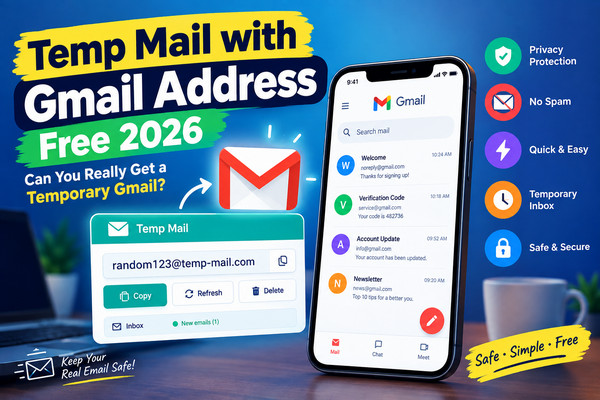
Instantly generate a free temp Gmail or throwaway email address. No registration, no tracking, 100% anonymous.
Generate a temp mail Gmail address using @gmail.com or @googlemail.com — the world's most trusted email domains.
Keep your real inbox safe. Our throwaway email generator helps prevent unwanted messages and phishing attempts.
Every temporary throwaway email auto-expires in 60 minutes along with all received messages.
Pick from @gmail.com, @googlemail.com, @plusmail.com, @tempmail.com, @temporaryemail.com or add a custom domain.
A brand-new temporary Gmail address is auto-generated each time you load the page.
No signup, no personal data, no tracking. Fully anonymous disposable email generator.
Follow these simple steps to create a free temporary Gmail or throwaway email address in seconds.
As soon as you land on Temp Inbox Mail, a random temporary email address is created for you. The default domain is @gmail.com, but you can switch to any other domain instantly.
Use the domain dropdown to select @gmail.com, @googlemail.com, @plusmail.com, @tempmail.com, @temporaryemail.com, or enter a custom domain. Click "Apply" to regenerate your address with the new domain.
Click the "Copy" button to copy your throwaway email address to the clipboard. Now paste it into any signup form that requires email verification.
Click "Check Mail" to fetch any incoming messages. Your inbox also auto-refreshes every 45 seconds with a smooth loading indicator. Verification links, welcome emails, and newsletters will appear inside your temp inbox.
Click any message to expand it. You can read the full body, see the sender, and delete it with one click if it's not needed.
Need a different address? Click "New Address" or refresh the page. A brand-new temporary Gmail address will be generated automatically.
A temp mail Gmail address is a temporary, disposable email address that uses the @gmail.com or @googlemail.com domain but expires after a short period — usually 60 minutes. Unlike a real Gmail account, it requires no registration, no phone verification, and no personal information. It exists purely to receive incoming messages such as verification links, confirmation codes, and welcome emails.
Our temporary throwaway email generator takes this concept one step further by letting you switch between multiple domains — including Gmail, Googlemail, PlusMail, TempMail, TemporaryEmail, and any custom domain you specify. The result is the most flexible disposable inbox available online today.
A throwaway email address (also called a burner email, fake email, or disposable email) is a temporary inbox you use once and abandon. It's designed to protect your primary email from unwanted messages, marketing lists, and data breaches. When you sign up for a new website, app, or free trial, a throwaway email keeps your real identity hidden.
Combining "temp mail Gmail" with "throwaway email" gives you the best of both worlds: the trust and familiarity of a Gmail-style address, plus the safety and anonymity of a disposable inbox.
Your real Gmail account is the digital key to your life — it holds password resets, banking alerts, personal messages, and work correspondence. Sharing it with random websites is risky. Here's why a temporary Gmail address is smarter:
Our generator supports six domain options. Here's a detailed breakdown of when to use each one:
Use @gmail.com when a website or app explicitly requires a Google email. Many platforms — including Google Play testing, certain SaaS tools, and some forums — only accept Gmail addresses. A temp Gmail gets you through the door without exposing your real account.
@googlemail.com is functionally identical to @gmail.com and is still used in the UK, Germany, and other regions. Choose it when a service expects a European-style Google address or when you want to avoid Gmail-based filters that block obvious temp domains.
@plusmail.com is a neutral, professional-looking domain ideal for newsletter subscriptions, ebook downloads, and free trial signups. It doesn't look like an obvious throwaway address, so it's accepted more often than generic temp domains.
@tempmail.com is our default domain. It's clearly labeled as temporary, making it perfect for quick one-off registrations where you don't care about the site's perception. If the site accepts it, great — if not, switch to a Gmail domain.
@temporaryemail.com is honest about its purpose. Use it when a service explicitly allows disposable emails and you want to be transparent. It's also great for testing email deliverability in development environments.
Our custom domain option lets you enter any domain you want — for example @yourcompany.com or @testdomain.io. This is perfect for developers testing email workflows, QA teams verifying signup flows, and businesses simulating real user registrations.
Here are the most popular scenarios where a temporary throwaway email generator saves the day:
Our generator is 100% client-side and privacy-first. Here's the technical flow:
Unlike free Gmail accounts, our temporary Gmail generator never asks for:
Everything is stored locally in your browser. When you close the tab or the timer expires, the data is gone. We don't log IP addresses, we don't sell data, and we don't run third-party trackers beyond standard analytics and ads.
Yes, using a temporary Gmail address or throwaway email is legal in almost every country. However, some websites explicitly forbid disposable emails in their terms of service. Always read the site's policy before signing up. Never use a temp Gmail for illegal activity, fraud, or harassment.
Yes. When you select @gmail.com as your domain, the generator creates an address that looks and behaves like a Gmail address. Emails sent to it are received by our mail server and displayed in your temp inbox.
No. All our throwaway addresses are receive-only. You can read incoming emails but cannot send outgoing messages.
Every address — including @gmail.com, @googlemail.com, and all others — expires 60 minutes after creation. You can generate a new one anytime by clicking "New Address" or refreshing.
No. It uses the @gmail.com domain format, but it is not an official Google account. It's a disposable inbox managed by Temp Inbox Mail for one-time use.
No. Google services require a real Gmail account with phone verification. Temp Gmail is for third-party websites that accept Gmail-format addresses.
The address and all received emails are permanently deleted. You'll need to generate a new address to continue receiving messages.
Yes, 100% free. No hidden fees, no premium tiers, no credit card required.
Yes. Select "Custom Domain" from the dropdown, type your domain (e.g., @yourdomain.com), and click Apply. A new address will be generated using your custom domain.
Whether you need a temp mail Gmail address for a one-time signup, a temporary throwaway email for testing, or a custom-domain disposable inbox for development, Temp Inbox Mail delivers the fastest, cleanest, and most private solution available. With six domain options — including the world's most trusted @gmail.com — plus 60-minute auto-expiry and zero registration, it's the only throwaway email generator you'll ever need.
Bookmark this page, generate your free temp Gmail address now, and protect your real inbox from unwanted messages and data leaks forever.
In our increasingly privacy-conscious digital world, 10 Minute Mail services remain one of the most effective tools for protecting your online identity.
Read More
In an era of increasing digital surveillance and data breaches, temporary email and password free services have become essential tools.
Read More
As we approach 2025, email privacy concerns continue to grow, and many users are searching for temp mail Gmail domain solutions to protect their primary inboxes.
Read MoreAt Temp Inbox Mail, privacy is the foundation of our temporary throwaway email generator. We built this service so you can sign up for anything online without exposing your identity.
Your temporary Gmail address and received emails are stored in your own browser using localStorage. Nothing is uploaded to a central database. When the 60-minute timer expires or you clear your browser data, everything is wiped.
We use cookies only for basic functionality and anonymous analytics (Google Analytics). We show ads via Google AdSense, which may use cookies for personalization. You can opt out anytime using the cookie consent banner.
Questions about privacy? Email info@tempinboxmail.com.
External Resources: Learn more about online privacy at Privacy.org and the FTC Privacy Guide.